> For the complete documentation index, see [llms.txt](https://guide.roundhr.com/llms.txt). Markdown versions of documentation pages are available by appending `.md` to page URLs; this page is available as [Markdown](https://guide.roundhr.com/setting/profile/signature.md).
# 메일 서명 설정
메일 서명 설정은 서명을 한 번 등록해두면 라운드HR에서 보내는 모든 이메일 하단에 자동으로 서명을 삽입하는 기능입니다.
## 개요
**메일 서명 설정**은 서명을 한 번 등록해두면 라운드HR에서 보내는 모든 이메일 하단에 자동으로 서명이 삽입되는 기능입니다. 매번 서명을 입력하지 않아도 일관된 형식으로 메일을 보낼 수 있습니다.
### 이런 경우에 사용하세요
* 지원자에게 보내는 메일에 이름·직책·연락처를 매번 넣기 번거로울 때
* 회사 로고나 링크를 포함한 통일된 서명을 사용하고 싶을 때
***
## 메일 서명 설정하기
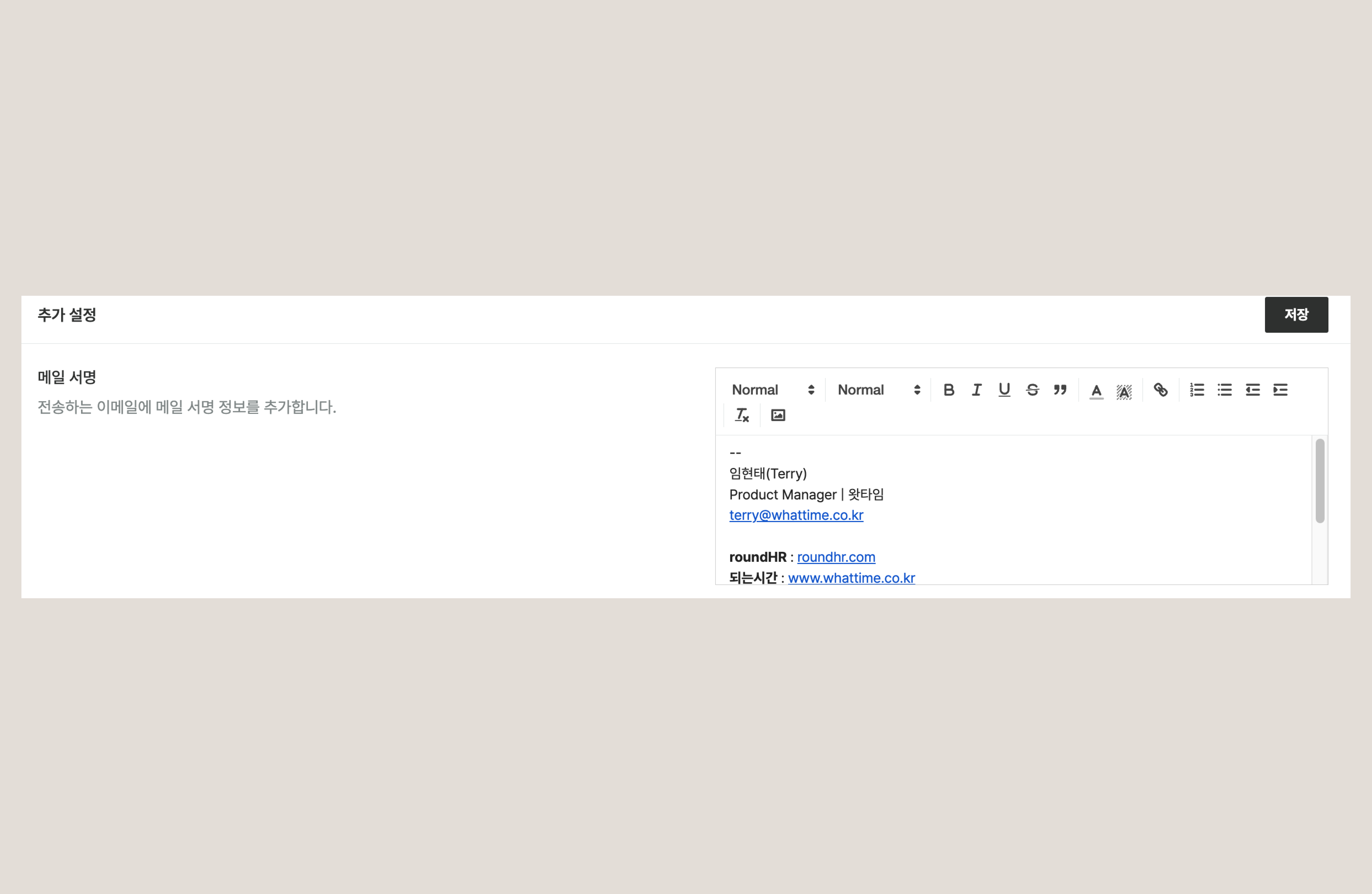
`설정` > `개인 설정` > `추가 설정`에서 메일 서명을 관리할 수 있습니다.
메일 서명 설정
* 리치 텍스트 에디터로 서명을 작성할 수 있습니다.
* **텍스트 스타일링**(굵게·기울임·색상 등)과 **링크 삽입**이 가능합니다.
* **이미지 삽입**도 지원되어 회사 로고 등을 서명에 포함할 수 있습니다.
* 서명을 입력한 뒤 `[저장]` 버튼을 클릭하면 설정이 완료됩니다.
{% hint style="info" %}
메일 서명을 저장하면 라운드HR에서 보내는 **모든 이메일 하단에 자동으로 서명이 추가**됩니다.
{% endhint %}
***
## 자주 묻는 질문
서명은 어떤 메일에 적용되나요?
라운드HR에서 발송하는 모든 이메일 하단에 자동으로 삽입됩니다. 지원자에게 보내는 안내 메일 등에 매번 서명을 다시 쓸 필요가 없습니다.
서명에 회사 로고를 넣을 수 있나요?
네. 서명 에디터는 이미지 삽입을 지원하므로 회사 로고 이미지를 서명에 포함할 수 있습니다.
메일 서명은 어디에서 설정하나요?
`설정` > `개인 설정` > `추가 설정`에서 관리할 수 있습니다. 리치 텍스트 에디터로 서명을 작성한 뒤 `[저장]` 버튼을 클릭하면 설정이 완료됩니다.