> For the complete documentation index, see [llms.txt](https://guide.roundhr.com/llms.txt). Markdown versions of documentation pages are available by appending `.md` to page URLs; this page is available as [Markdown](https://guide.roundhr.com/setting/profile/account.md).
# 계정 설정
계정 설정은 이름·이메일·비밀번호·전화번호·직책·프로필 이미지 등 내 개인 계정 정보를 확인하고 변경하는 기능입니다.
## 개요
**계정 설정**은 이름·이메일·비밀번호·전화번호·직책·프로필 이미지 등 내 개인 계정 정보를 확인하고 변경하는 기능입니다.
### 이런 경우에 사용하세요
* 비밀번호나 연락처 등 로그인·알림에 쓰이는 정보를 바꿀 때
* 2단계 인증(OTP)으로 계정 보안을 강화하고 싶을 때
***
## 1. 비밀번호 확인
* 계정 설정 페이지에 처음 접속하면 **비밀번호 확인**이 필요합니다.
* 비밀번호 인증 후 **24시간 동안** 재인증 없이 계정 설정을 수정할 수 있습니다.
{% hint style="info" %}
SSO로 로그인한 사용자는 비밀번호 확인 없이 바로 계정 설정을 수정할 수 있습니다.
{% endhint %}
***
## 2. 개인 계정 설정하기
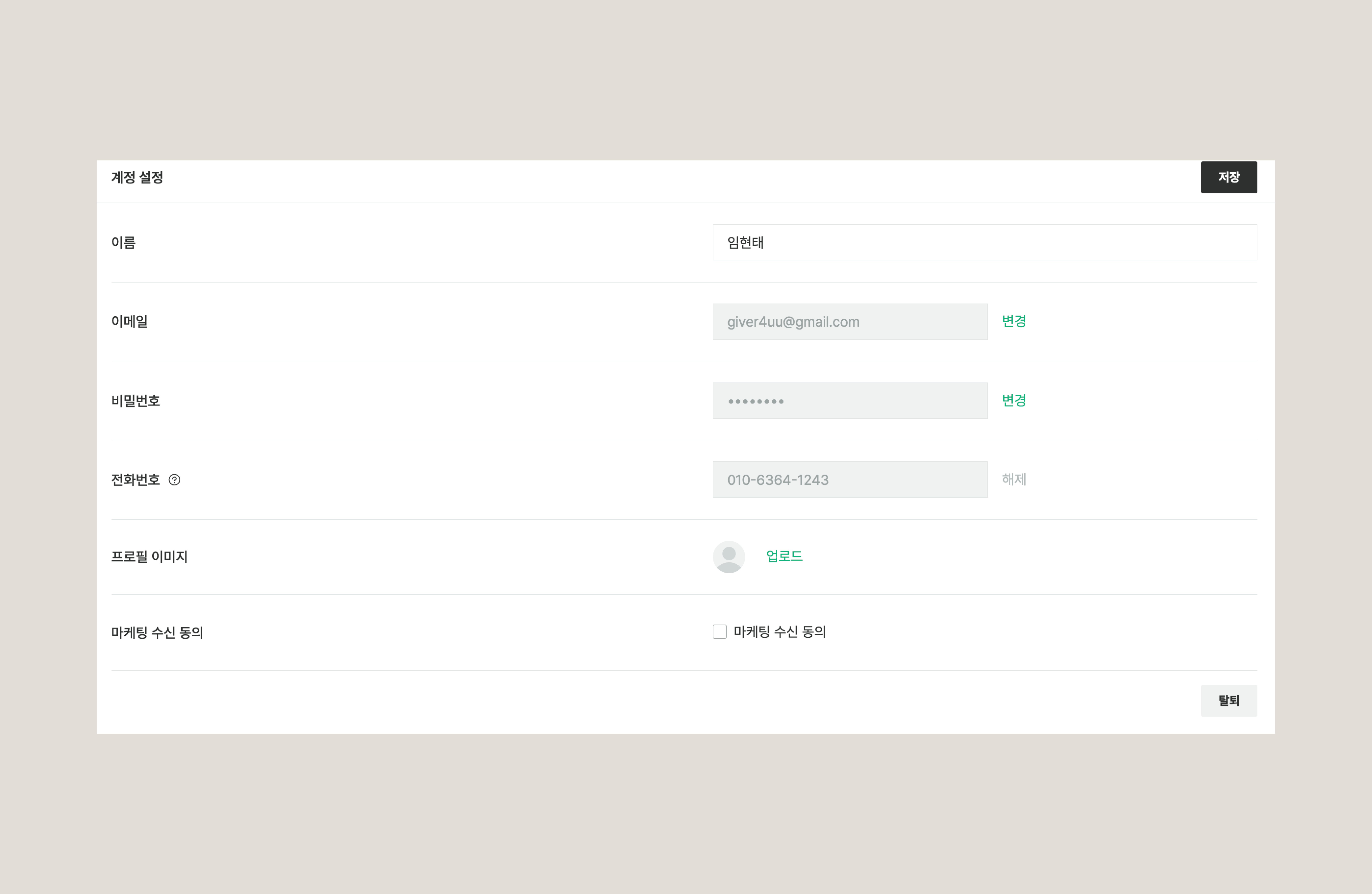
`설정` > `개인` > `계정 설정`에서 아래 항목을 수정할 수 있습니다.
개인 계정 설정
* **이름:** 라운드HR에서 표시되는 이름을 변경합니다.
* **이메일:** 로그인 및 알림에 사용되는 이메일을 변경합니다.
* **비밀번호:** 비밀번호를 변경합니다.
* **전화번호:** 연락처를 변경합니다.
* **직책:** 본인의 직책을 입력합니다.
* **LinkedIn:** LinkedIn 프로필 URL을 등록합니다.
* **2단계 인증(OTP):** OTP 인증을 활성화하여 계정 보안을 강화합니다.
* **프로필 이미지:** 프로필 사진을 등록합니다.
{% hint style="info" %}
프로필 이미지는 라운드HR 및 지원자 마이페이지에서 노출됩니다.
{% endhint %}
***
## 3. 마케팅 수신 동의
* 마케팅 수신 동의 체크박스로 라운드HR의 마케팅 메일 수신 여부를 설정할 수 있습니다.
***
## 4. 탈퇴
* 페이지 하단의 `[탈퇴]` 버튼을 클릭하면 계정을 탈퇴할 수 있습니다.
{% hint style="danger" %}
탈퇴하면 관련된 모든 정보가 삭제되며, 이전에 설정했던 정보를 다시 설정해야 합니다.
{% endhint %}
***
## 자주 묻는 질문
계정 설정에 들어갈 때마다 비밀번호를 입력해야 하나요?
한 번 비밀번호를 인증하면 24시간 동안은 다시 입력하지 않아도 됩니다. SSO로 로그인한 경우에는 비밀번호 확인 없이 바로 수정할 수 있습니다.
계정 보안을 강화하고 싶어요.
`2단계 인증(OTP)`을 활성화하면 로그인 시 추가 인증을 거쳐 계정 보안을 높일 수 있습니다.
탈퇴하면 데이터는 어떻게 되나요?
탈퇴 시 계정과 관련된 모든 정보가 삭제됩니다. 재가입하더라도 이전에 설정했던 정보는 복구되지 않으므로 신중히 결정하세요.