> For the complete documentation index, see [llms.txt](https://guide.roundhr.com/llms.txt). Markdown versions of documentation pages are available by appending `.md` to page URLs; this page is available as [Markdown](https://guide.roundhr.com/interview/scheduling/attend_check.md).
# 면접일 참석 여부 확인
면접 리마인드가 발송될 때 면접 참석 여부를 자동으로 물어보는 기능입니다. 지원자가 참석 확정을 클릭하면 지원자 상세 화면이나 캘린더에서 확인할 수 있어요.
## 개요
**면접 참석 여부 확인**은 면접 리마인더 발송 시 지원자에게 참석 여부를 함께 묻는 기능입니다. 지원자가 \[참석 확정]을 누르면 담당자가 지원자 상세·면접 캘린더에서 바로 확인할 수 있어 노쇼를 예방할 수 있습니다.
## 사전 준비
* **설정:** [면접 리마인더](/interview/setting.md)가 설정되어 있어야 지원자에게 참석 확인이 발송됩니다.
***
## 1. 지원자의 면접 참석 여부 확정
***
지원자가 [면접 리마인더](https://guide.roundhr.com/interview/scheduling/pages/rtZ9sY35M9uRmhUNmfOV#면접-리마인더-설정)를 받은 후 직접 참석 여부를 확정하는 과정입니다.
### 참석 확정 플로우
1. 지원자가 **면접 리마인더 메일 또는 알림톡 문자**를 수신합니다.
2. 메일/문자 내 링크를 클릭하여 **지원자 마이페이지**에 진입합니다.
3. 마이페이지 진입 시 **면접 참석 여부 확인 팝업**이 자동으로 표시됩니다.
4. 지원자가 \[네, 확정할게요] 버튼을 클릭하면 참석 의사가 확정됩니다. (취소는 \[취소할게요])
지원자 참석 확정 팝업
{% hint style="info" %}
면접 카드에는 별도의 인라인 버튼 \[참석 확정하기]도 노출됩니다.
{% endhint %}
{% hint style="warning" %}
면접 참석 확정은 **면접 시작 시간 기준 24시간 이내**에만 가능합니다.
{% endhint %}
{% hint style="info" %}
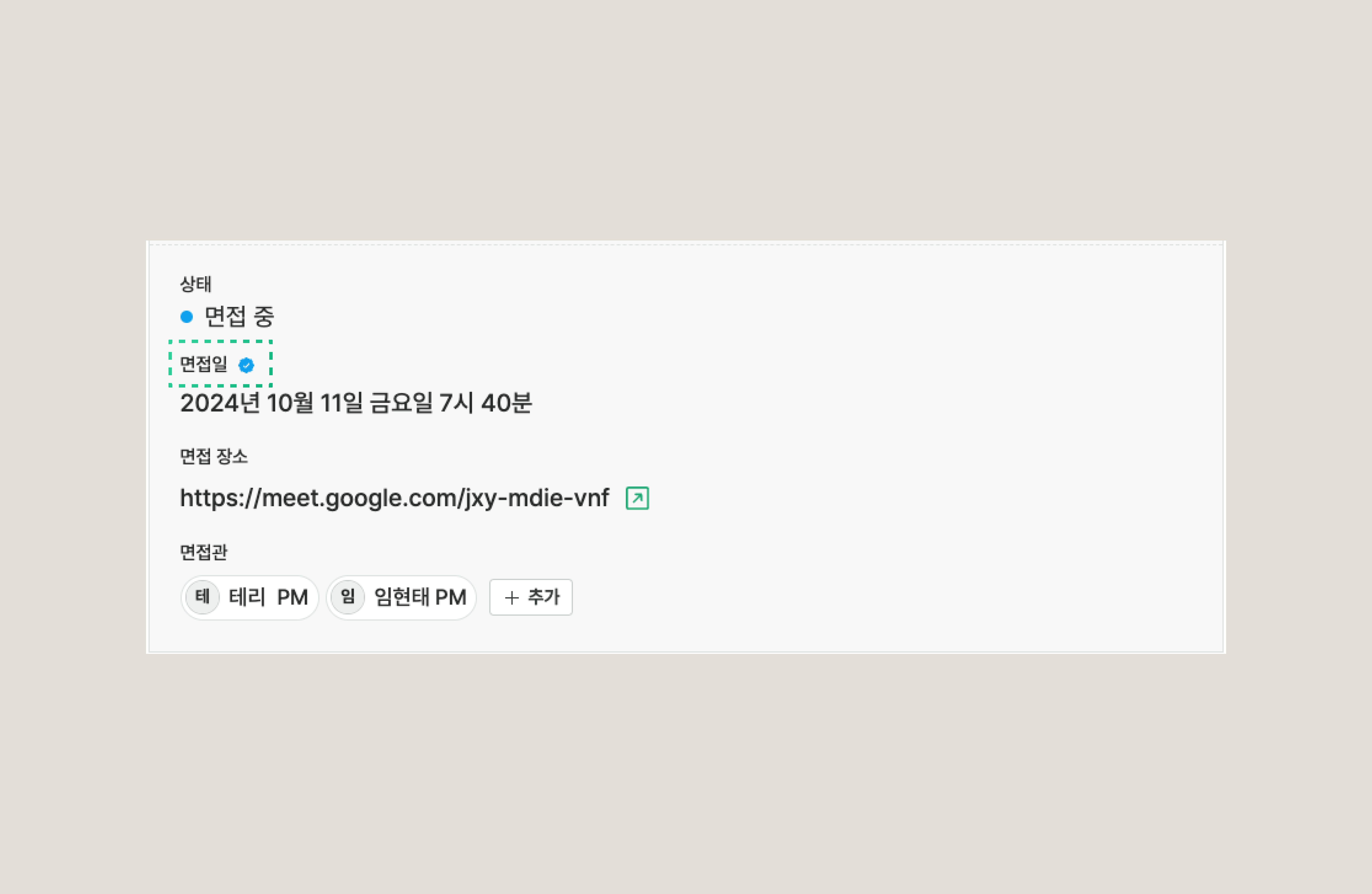
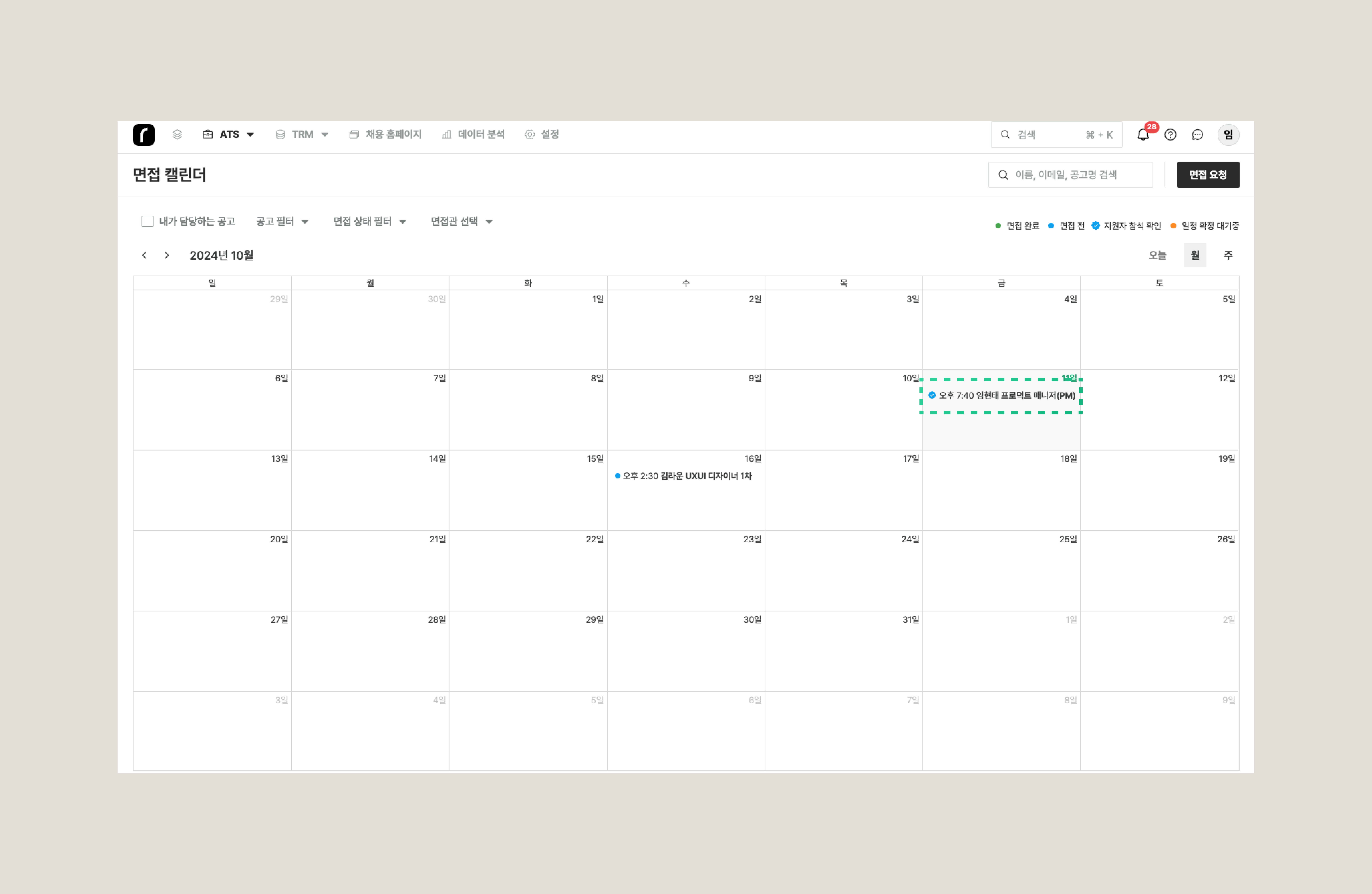
지원자가 참석을 확정하면 채용담당자는 지원자 상세 화면이나 면접 캘린더에서 확정 여부를 바로 확인할 수 있습니다.
{% endhint %}
***
## 2. 면접 참석 확정 여부 확인
***
### 2-1. 지원자 상세 화면에서 확인
지원자 상세 화면에서 확인
### 2-2. 면접 캘린더에서 확인
면접 캘린더에서 확인
***
## 자주 묻는 질문
지원자는 언제부터 참석 확정을 할 수 있나요?
면접 참석 확정은 **면접 시작 시간 기준 24시간 이내**에만 가능합니다. 리마인더 메일/알림톡의 링크로 마이페이지에 들어가면 확인 팝업이 표시됩니다.
지원자가 참석 확정을 누르지 않으면 어떻게 되나요?
참석 확정은 선택 사항으로, 누르지 않아도 면접은 예정대로 진행됩니다. 확정 여부가 표시되지 않은 지원자에게는 별도로 연락해 참석 여부를 확인하는 것을 권장합니다.
참석 확정 여부는 어디서 확인하나요?
지원자 상세 화면의 면접 정보 또는 [면접 캘린더](/interview/scheduling/calendar_check.md)의 해당 면접 일정에서 확인할 수 있습니다.
![지원자 마이페이지에 표시되는 면접 참석 여부 확인 팝업과 [네, 확정할게요] 버튼](https://3113620308-files.gitbook.io/~/files/v0/b/gitbook-x-prod.appspot.com/o/spaces%2Fx3vbe9mozK3C5425TCxL%2Fuploads%2Fgit-blob-5003a5fbc0f7be296e79660e1765b037ead38544%2Fintv_sched_attend_check_s1_01.png?alt=media)